Google Play Store PC
Gives you access to any type of Apk Android App on your Windows PC.
Safe & Secure

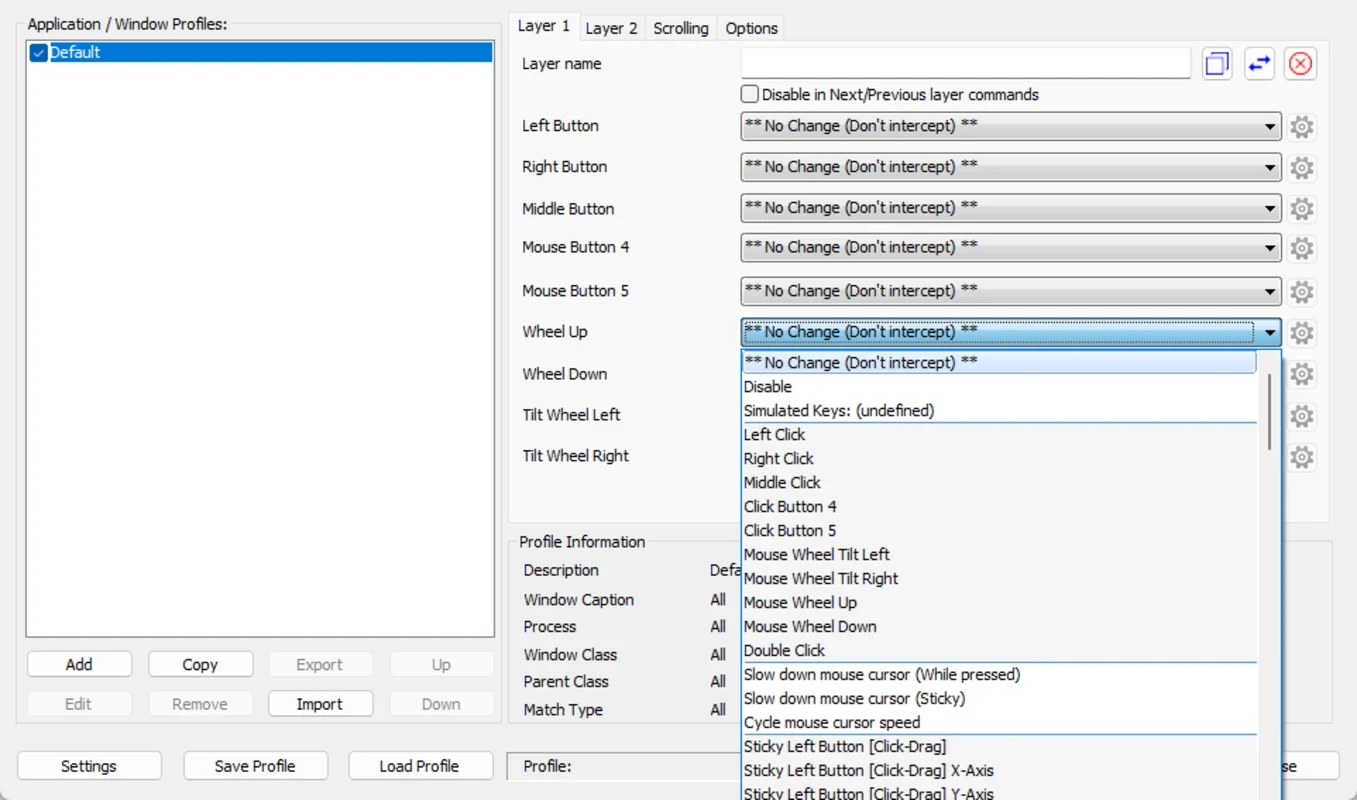
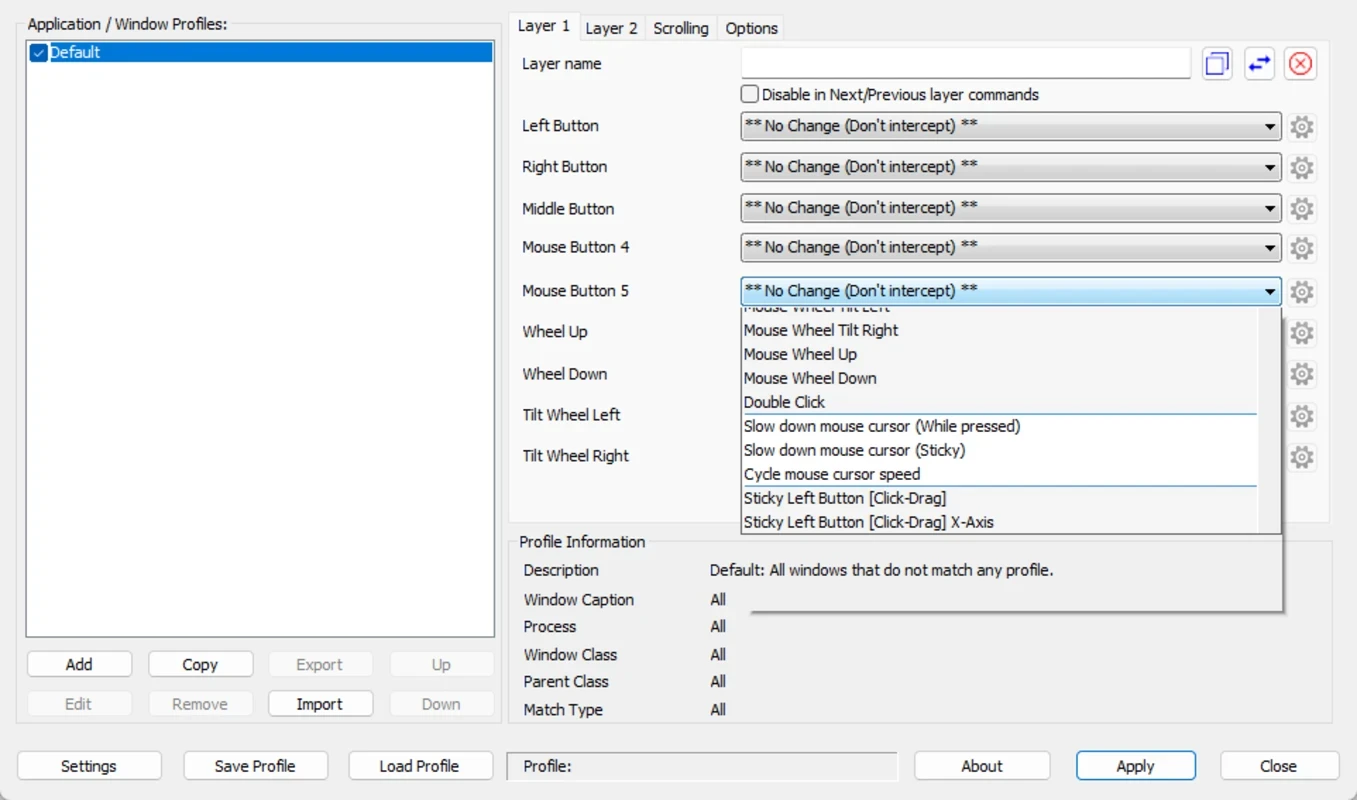
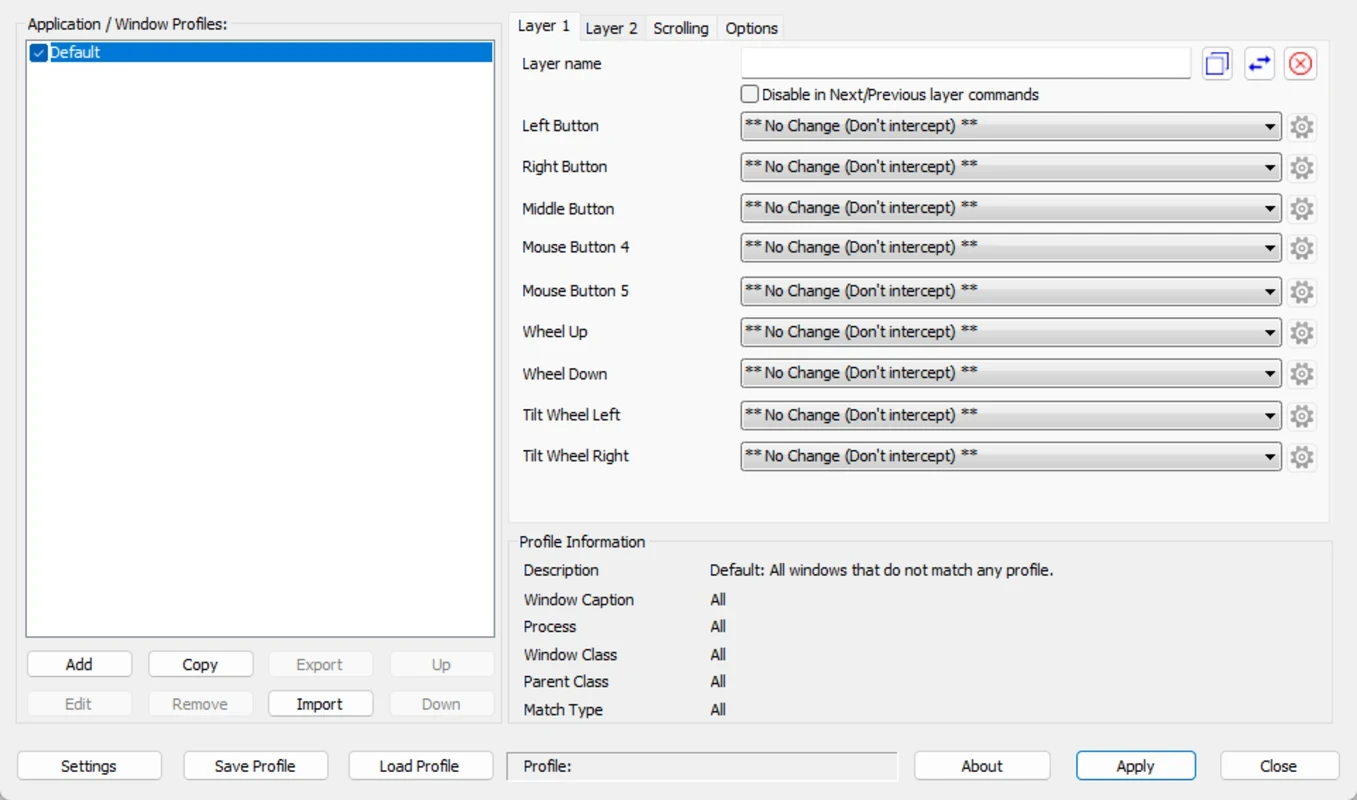
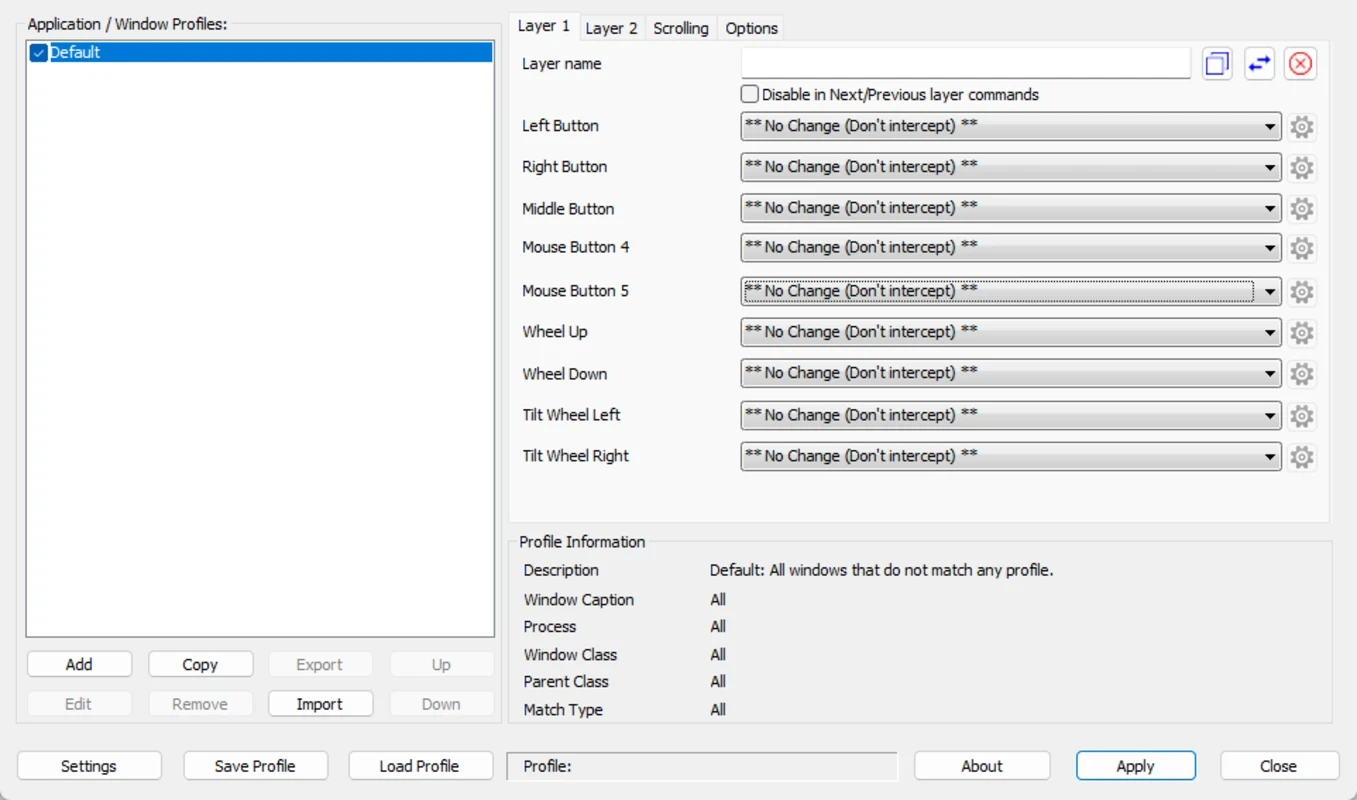
X-Mouse Button Control is a simple, yet efficient mouse utility to offer enhanced efficiency for your mouse, mapping different keys and functions to the buttons. It makes the mouse buttons highly adaptable to satisfy your specific needs, offering complete control over the mouse button actions.
Mouse is one of essential hardware with pointing and clicking basic functionality, but, X-Mouse Button Control is the best utility enhance the functionality of mouse, supporting both 64-bit and 32-bit Windows operating systems, but not for Mac computer.
X-Mouse Button Control, developed by Highresolution Enterprises, falls under the Desktop category and is freeware software. It helps to configure and expand the mouse capabilities, offering a lot of customization options to manage your workflow according to your preferences.
The innovative app offers customized mouse behavior per application or window, enabling the creation of application and window-specific profiles. It is capable of configuring several layers of button configuration per profile. It streamlines an enhanced user experience, activating the profiles automatically by hovering the mouse over the desired application or window.
The app is 100% safe and virus-free. It was basically designed for x64 editions of Windows, but you can use it for 32-bit editions as well. Multiple functions in different Windows operating systems are supported within the app, such as ModernUI/Metro in Windows 8, Flip3D in Vista, and Virtual Desktops in Windows 10. The app, with a safe and secure installation process offers support for multiple languages, which are available through community-translated language packs. As the app is available in the system tray, you need to launch it by double-clicking the corresponding icon.
You can reliably map to your mouse buttons with the help of an extensive function list, such as shift or combine buttons for operating different actions. You can create timed actions to get rid of holding down the button for some time. Next, mapping simulated keystrokes that are useful for sending key sequences, mouse actions, and custom keystrokes, pressing a mouse button. It also helps to launch specific applications.
It also helps to make changes to global or specific changes, such as;
On launching the app, you will be greeted with a main window including a list of Application or Windows profiles. It displays the full details of created profiles and those assigned to several applications. It makes it possible to add, activate, or deactivate profiles. The active profile has text in red color. The classification of the app for the selected process or window is displayed in the corresponding Profile Information box.
The intuitive and clean interface, however, lacks color and graphical buttons, and offers a straightforward approach to various actions, such as copy, paste, control volume, double-click, open programs, and so on. It offers support for multiple profiles and smooth navigation between multiple menus. You will find quick switching between configurations according to your program. It is a useful solution for programs that demand changes in mouse features.
The app allows the creation of layers to make changes in the behavior of the mouse, allowing users to switch to completely different button maps. It is easy, even with little know-how about the program. For changing the layer, hotkey combinations and mouse buttons are available. It offers fast switching of the button configuration, without opening the software.
You will find up to nine possible controls to assign to your mouse using the list of mapping commands. For this purpose, the drop-down menu lists are available, allowing users to select custom functions and let the program complete the rest. You need to press a letter or number key to select a key, and adding any function to the program is quite easy. However, the mapping command list may vary with each version of the program.
Pros
Cons

Gives you access to any type of Apk Android App on your Windows PC.

PC App Store download, install, and keeps up-to-date your PC programs

free emulator to play Android apps on your pc with extra performance, reliability

Bijoy Bayanno the most powerful software to write Bengali language on PC

Media Creation Tool is upgrading and installing Windows 10 bootable installed disks.
Rufus easily change your USB Flash to a bootable ISO flash drives.